C2PA manifest & CDN-strip check of one image for Art. 50(2); --fail-on-missing exits 2 in CI when the manifest is missing or its signature does not match
$npx spurvik rfp yourdomain.com --plan pro --provider openai
EU AI Act vendor security questionnaire & DPO RFP answers (Q1–Q5) as Markdown; no request, --plan free|pro|team|concierge, --json
$npx spurvik gate yourdomain.com
Offline 6-vector EU AI Act Art. 14 fail-closed blocking self-test (spurvik/channels HMAC-SHA256: unapproved halt, human block, tampered payload, decision-flip forgery, expired replay & signed approval; 0 network requests)
$npx spurvik annex-iv yourdomain.com --plan team
9-section EU AI Act Annex IV technical documentation file (Article 11) as Markdown; zero network, --plan free|team, --use-case employment, --json
01Claude · Cursor · Codex
AI coding agents
Then ask: “Use the eu-ai-act skill on this project.”
In n8n, open Settings -> Community nodes and install n8n-nodes-spurvik@1.0.13, or use Import from URL with the starter workflow JSON (n8n node guide). The node type id is spurvikEuAiActGuard
The node can add an AI interaction notice to one text field, record a call as an HMAC SHA256 digest instead of the raw prompt text, and send an approval request. Prompt field names and the configured input field are not copied onto the node output, including when listed in passThroughFields. It does not mark content.
Nine operations; six need no credential: scanDomain, batchScanDomains, checkImageC2paUrl, vendorQuestionnaireAnswers (EU AI Act vendor security questionnaire & DPO RFP answers, built in the node with no request), gateSelfTest (6-vector Art. 14 cryptographic human-gate blocking test) and annexIvDraft (9-section EU AI Act Annex IV technical documentation Markdown draft under Article 11, zero network). Without a console API key, the notice, digest and approval results carry upgradeUrls (freeApiKey10sEur0, proWhiteLabelEur19, teamAgencyEur79, doneForYou24hEur199).
Channels: Slack, Telegram, Email (Resend), Discord, Microsoft Teams, Linear, Jira, Monday.com (item creation only; no Approve or Block links), and Asana. callbackBaseUrl is required for an approval request. The HTTP Request path in the channel panels below remains an alternative.
02
Runtime SDK (npm)
spurvik 1.0.16spurvik-sdk 1.0.16MIT
Install (current version)
npm i spurvik ai @ai-sdk/openai
Alias build (spurvik-sdk, same build)
npm i spurvik-sdk ai @ai-sdk/openai
Keyed HMAC SHA256 call receipts, 0 bytes of prompt text stored
Supports Vercel AI SDK, OpenAI, Anthropic, LangGraph & Mastra
Signed Approve and Block links, checked by verifyChannelApprovalToken()
Set your own contentHash.secret (for example SPURVIK_CONTENT_HASH_SECRET, server side only) of at least 16 characters. Keyed hashing is the default, and setup throws if the secret is missing or too short. The secret stays on your side. Set it at build time too, because next build fails without it; on Vercel, add it to the project's environment variables.
Use spurvik@1.0.16 or later. It works with current ai and @ai-sdk/openai releases, so upgrade rather than pinning ai. Mastra is the exception: see its card for the @ai-sdk/openai pin.
The snippets use import and top level await. In a new project, run npm pkg set type=module after npm init -y, because current npm writes "type": "commonjs" and Node then stops with SyntaxError: Cannot use import statement outside a module. In an existing CommonJS project, name the file app.mjs instead. If a strict typecheck reports Cannot find name 'process', the same @types/node step below fixes it.
If a strict typecheck reports TS7016 for json-schema or Cannot find name 'Buffer', run npm i -D @types/json-schema @types/node and add "node" to "types" in your tsconfig.jsoncompilerOptions. These errors come from the AI SDK's own type files, not your code. Next.js sets skipLibCheck: true by default, which avoids them. With Mastra or the OpenAI Agents SDK, set "skipLibCheck": true in compilerOptions yourself: their own type files report errors under a strict check, separate from your code.
Run inside your project root (a folder with package.json or .git). The heuristic scan makes zero network calls (Cursor, Claude Code & CI guide).
IDE MCP configs start the server with spurvik-mcp-server --root . (see the JSON configs).
Ten zero-key tools, all read only and the same over stdio and on the hosted /api/mcp: spurvik_setup_snippet, spurvik_find_unwrapped_calls, spurvik_explain_receipt, spurvik_marking_hooks, spurvik_scan_live_url, spurvik_batch_scan_domains, spurvik_check_image_c2pa_url, spurvik_classify_ai_act_risk, spurvik_generate_art50_badge and spurvik_vendor_questionnaire_answers (new in 1.0.8), which returns Markdown answers to Q1 to Q5 of EU AI Act vendor security questionnaires and DPO RFPs. Seven run locally with zero network calls; spurvik_scan_live_url, spurvik_batch_scan_domains and spurvik_check_image_c2pa_url send only the public URLs you pass them to console.spurvik.com. Node 20+.
Scans public HTTPS surfaces for Art. 50(1)/(2)/(4) notices and 16 AI chat widgets in the 2x2 Cockpit, or returns zero-key JSON for EU AI implementation agencies reviewing client domains.
Works on Webflow, WordPress, Shopify and static HTML. Shows a small notice that people are interacting with an AI system and that replies are generated automatically, next to the name you set in data-system
Attributes: data-notice selects interaction (default), generated, deepfake, public-interest or emotion-biometric across all 24 official EU languages. data-system sets the name shown. data-locale picks the language (for example da). data-theme is dark (default), light or auto (follows OS prefers-color-scheme). data-position is bottom-right (default) or bottom-left. A small Art. 50 · Spurvik link is on by default; Pro can hide it.
Since badge.js 1.0.6 the notice is followed by a separate small Art. 50 · Spurvik link to https://spurvik.com/?utm_source=badge (rel="noopener noreferrer", target="_blank", with an aria-label). Pro and Team plans can use a white-label badge: add data-attribution="false" (or data-whitelabel="true") to the script tag or a [data-spurvik-badge] host, or call create({ attribution: false }). The link is styled through CSSOM only, so the documented CSP style-src fallback hashes are unchanged.
Inline mode: put <div data-spurvik-badge></div> where the notice should appear and load the script once. The badge renders inside each such element, and each one can set its own data-system, data-locale and data-theme. Without one, the badge floats in the corner set by data-position
Hiding and CSP: to hide the notice, set the hidden attribute on the badge element ([data-spurvik-art50]). This works in corner and inline mode. From your own CSS, visibility:hidden (the notice keeps its space) or display:none !important also hides it; plain display:none hides the corner badge but not the inline one. Styles load as constructable stylesheets, which a strict style-src policy doesn’t block. Older browsers without them fall back to a <style> tag, which needs 'unsafe-inline' or that style’s sha256 hash in style-src. In those older browsers, if your policy allows neither, the badge shows unstyled and hidden doesn’t hide it in inline mode. The hashes, by theme and position:
These hashes match the current build of the badge script. They change whenever its styles change, so check this card after an update.
Language order: data-locale, then your page’s <html lang>, then English. Default copy in 24 EU languages (review the wording before use): bg, cs, da, de, el, en, es, et, fi, fr, ga, hr, hu, it, lt, lv, mt, nl, pl, pt, ro, sk, sl, sv. The Danish default assumes a chat; for voice, set your own wording.
Privacy: no cookies, no storage, and no network calls beyond loading the script itself. Using React? Use AIDisclosureLabel from spurvik/react (spurvik@1.0.16) instead.
Designed to support Article 50 notice duties (Art. 50(1)/(3)/(4) and human-readable generated labels). You stay responsible for when and where it is shown. The badge is a visible notice only: it does not mark generated content and is not Article 50(2) machine readable marking.
[](https://console.spurvik.com/report?domain=yourdomain.com)
2 Dec 2026 C2PA status shield (README or trust page)
[](https://console.spurvik.com/c2pa?domain=yourdomain.com)
Trust Center & Notion card (460×148 SVG)
[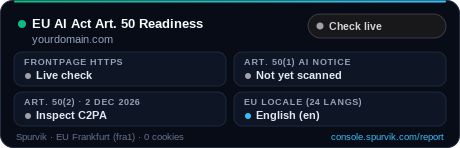](https://console.spurvik.com/report?domain=yourdomain.com)
Zero-config SVG shield that rechecks your live frontpage (cached up to 30 minutes) and turns emerald (Notice detected · Spurvik) once the Art. 50(1) notice is detected. Per-domain Markdown and HTML codes are on console.spurvik.com/report. No cookies, nothing stored.
Works from Python (FastAPI, Django, LangChain, PydanticAI), Go, PHP, Ruby or Rust with zero extra SDK dependencies. Raw prompt or output fields are rejected at ingestion (400 raw_content_rejected); payloadSummary accepts canonical sorted JSON field names only (spurvik.payload_summary.v1). Pair with badge.js on your frontend for visible Article 50 notices.
Prices exclude VAT. Card, Apple Pay & Link via Stripe (adds VAT where it applies) · SEPA invoice available. B2B only (solo founders & agencies welcome). Free €0/mo · Pro €19/mo (or €190/yr, 2 months free) · Team €79/mo (or €790/yr, 2 months free, 2M events/mo) · Done-For-You 24h Setup €199 once (incl. 1 yr Pro) · Enterprise from €499/mo.
What works right away, with no account?
The open source SDK:spurvik@1.0.16 and spurvik-sdk@1.0.16 on npm (MIT, Node 20+). It wraps your model calls, logs each one and attaches an HMAC SHA256 receipt made with a secret that stays in your process.
The React notice:AIDisclosureLabel from spurvik/react.
The AI notice badge for any HTML site: see the badge card.
The MCP server:spurvik-mcp-server@1.0.13 on npm (MIT, Node 20+, run with --root pointing at your project). See the MCP card.
The interactive sandbox at console.spurvik.com/sandbox, with no login.
What needs an account?
Hosted console workspaces on console.spurvik.com need an account (Free €0, Pro €19/mo or €190/yr, Done-For-You €199 once; excl. VAT, B2B — solo founders & agencies welcome). Mint one in 10 seconds with email magic link (no password) at console.spurvik.com/signup. For Enterprise or SEPA purchase orders, email hello@spurvik.com.
What do the hosted plans include?
Free (€0): 10,000 events per month, 30-day retention in EU Frankfurt (fra1), 24-language badge.js (with subtle Spurvik link), and signed Slack/Teams approval helpers.
Pro (€19/mo or €190/yr): 250,000 events per month, 90-day retention in EU Frankfurt (fra1), white-label badge.js (data-attribution="false"), hosted approval review queue, and 1-click DPO engineering summary (.md).
Team (€79/mo or €790/yr): 2,000,000 events per month, 12-month retention in EU Frankfurt (fra1), webhook SIEM export, and Annex IV technical documentation draft export.
Done-For-You 24h Setup (€199 once): Spurvik engineer installs via GitHub PR or Shopify/WordPress/Webflow/Lovable within 24 hours, delivers a DPO & C2PA readiness brief, and includes 1 full year of Pro (€190 value).
Human review gate:requireHumanApproval() in spurvik@1.0.16 (MIT) pauses an action until a reviewer decides in the hosted review queue (Pro and higher). If no reviewer decides in time, it stops with a timeout error (120 seconds by default). The queue records the decision, when it was made, who made it, and the reason given (not checked).
How do I keep staging and production apart?
API keys are scoped per project. Create a separate project for staging and another for production, each with its own keys.
Onboarding steps
Open console.spurvik.com/signup and enter your work or founder email (passwordless magic link in 10 seconds — no password required).
When your workspace is ready, create a project for each environment you need, for example staging and production.
In each project, create a spurvik_live_ API key. Keep it on the server.
Install: npm i spurvik ai @ai-sdk/openai. For Mastra, see its card for the @ai-sdk/openai pin.
Set four server side variables. SPURVIK_API_KEY holds the project key. SPURVIK_SIGNING_SECRET and SPURVIK_CONTENT_HASH_SECRET must each be at least 16 characters, or setup throws. SPURVIK_BASE_URL is https://console.spurvik.com.
Pass riskTier. It is required, and it is your own classification: Spurvik does not classify your use case.
Make one model call and check that the event appears in your project in the console.
Content hashing is keyed by default. The on mode uses unkeyed SHA256. A hash of personal data can still be personal data, so treat hashes accordingly.
Is Spurvik all I need for the AI Act?
No. Spurvik logs AI calls with HMAC receipts and gives you hooks for notices and marking. Its logs are evidence, not Article 50(2) machine readable marking; plug a marking tool into its hooks. Article 50 applies now. For generative systems already on the market before 2 August 2026, marking and detection are due by 2 December 2026 (Commission guidelines C(2026) 7702 final, para 153).
Your AI Act controls should live in a few lines of code, not in six months of legal memos.
Install: npm i spurvik ai @ai-sdk/openai@4.0.99 @mastra/core. With @mastra/core 1.79 or 1.80, keep this pin: they ship their own @ai-sdk/provider version, and a newer @ai-sdk/openai makes a strict typecheck fail. @mastra/core 1.81 also typechecks with the current @ai-sdk/openai
Shows a visible notice that people are interacting with an AI system. presentation is inline or block. Default copy in 24 EU languages (review the wording before use). Set article50Disclosure: true in your config only when your UI shows this notice. Not using React? Use the badge snippet.
Canonical Repository Guides on GitHub
MIT docs/ directory
Human gate channels: preview
The request createMultiChannelApprovalRouter() from spurvik-sdk/channels sends to each channel before a risky agent action runs. The payloads below are generated by spurvik-sdk 1.0.7 with callbackBaseUrl: "https://your-app.example/api/spurvik/callback", placeholder tokens and an example signing secret. callbackBaseUrl is required from 1.0.5: point it at your own endpoint that accepts GET clicks. The 64 character hmac, nonce and sig values are example values, shortened here (8…4). Nothing on this page makes a network call.
npm i spurvik-sdk
# or the same build under the main package name:
npm i spurvik
import {
  createMultiChannelApprovalRouter,
  createSignedApprovalLinks,
  verifyChannelApprovalToken,
  buildChannelOutboundRequest,
  dispatchHumanApprovalChannel,
} from "spurvik-sdk/channels"; // or "spurvik/channels"
n8n-nodes-spurvik 1.0.13 is on npm as a community node. It can add an AI interaction notice, record an HMAC SHA256 digest instead of the raw prompt text, and send an approval request. Prompt field names and the configured input field are not copied onto the node output. The HTTP Request path below remains an alternative.
// 1. Your service sends the request (spurvik-sdk@1.0.16 or spurvik@1.0.16)
import { createMultiChannelApprovalRouter } from "spurvik-sdk/channels"; // or "spurvik/channels"
const router = createMultiChannelApprovalRouter({ signingSecret, channels });
await router.requestApproval({
  gateId, actionName, summary,
  callbackBaseUrl: "https://<your-n8n-host>/webhook/spurvik-gate",
});

// 2. n8n Webhook node receives the Approve / Block link:
GET /webhook/spurvik-gate?gateId=…&ts=…&hmac=…&nonce=…&decision=approved&sig=…

// 3. n8n HTTP Request node posts it back to your service:
POST https://<your-service>/spurvik/verify
content-type: application/json

{
  "gateId": "{{$json.query.gateId}}",
  "actionHmac": "{{$json.query.hmac}}",
  "decision": "{{$json.query.decision}}",
  "issuedAtUnix": {{$json.query.ts}},
  "nonce": "{{$json.query.nonce}}",
  "signature": "{{$json.query.sig}}"
}

// 4. Your service answers with router.verifyCallback(body)
//    (or verifyChannelApprovalToken), and the workflow continues only on true.
Blueprint: custom webhook, then HTTP
Source: github.com/spurvik/spurvik, packages/n8n-nodes-spurvik/make-com-blueprint.json
Import it in Make.com as a scenario blueprint. "flow":
  1. gateway:CustomWebHook   "Incoming AI Agent Action or Chat Turn"
  2. http:ActionSendData     POST https://console.spurvik.com/api/v1/hitl
                             authorization: Bearer {{var.organization.spurvikApiKey}}
The token is stored as plain text in the Make.com scenario. The organization variable is available on Make.com Pro, Team and Enterprise; if organization custom variables are unavailable, the fallback is {{var.input.spurvikApiKey}}
createSignedApprovalLinks() computes an HMAC SHA256 over the gate ID, action name and context, using your signing secret (at least 16 characters).
It signs separate Approve and Block tokens with a timestamp and a random nonce and adds them to the callbackBaseUrl you pass (…&nonce=…&decision=approved&sig=…).
The reviewer opens one link in the channel. Your callback runs verifyChannelApprovalToken(), a constant time check with a maximum link age, before the agent continues or stops. Pass the nonce from the link, record it, and refuse a repeat: a link can be reused until it expires.
Spurvik logs AI calls with keyed HMAC SHA256 receipts and offers disclosure and human oversight hooks. Its provenance record supports, but does not replace, Article 50(2) machine readable marking: plug your own marking tool into config.marking
Print the marking hook guide
./node_modules/.bin/spurvik-mcp marking-hooks both
PricesPro €19/mo (€190/yr)Done-For-You 24h €199Team €79/mo (€790/yr · 2M events)Free €0/moEnterprise from €499/moPrices exclude VAT. Card, Apple Pay, Link & EU VAT ID invoice via Stripe. B2B (solo founders & agencies welcome): hello@spurvik.com.